Build your 30-day Copilot success plan - Microsoft Adoption
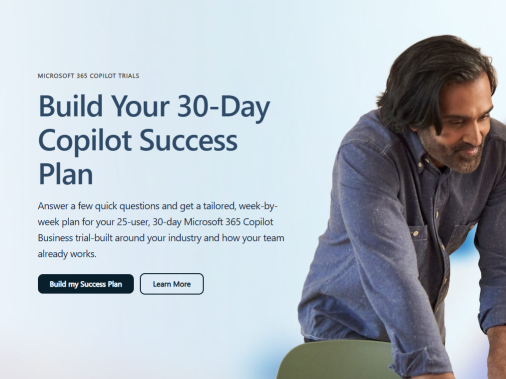
Turn a 25-user, 30-day Microsoft 365 Copilot Business trial into momentum. Answer a few quick questions to generate a tailored weekly roadmap featuring practical scenarios, guided activities, and ready-to-use prompts. Explore Build Your 30-Day Copilot Success Plan for an at-a-glance view of easy setup, clear progress, and faster time-to-value.
What is a 30-day Copilot success plan?
A 30-day Copilot success plan is a structured approach to help your organization start using Microsoft Copilot effectively in the first month. It focuses on getting users engaged, aligning Copilot with your existing Microsoft 365 tools, and tracking early wins.
In practice, this type of plan typically includes:
- Identifying priority use cases in areas like Dynamics 365 Customer Service and Microsoft Teams meetings.
- Using Copilot user engagement tools and templates to introduce Copilot to employees in a consistent way.
- Scheduling internal meetings, webinars, or town halls in Microsoft Teams to demo Copilot and answer questions.
- Collecting feedback from early users and adjusting training or guidance based on what they actually need.
The goal is to help your teams reimagine everyday work with Copilot—without disrupting existing workflows—so that within 30 days you can see clear, measurable usage and adoption trends.
How can Copilot improve customer service and meetings?
Microsoft Copilot is designed to plug into tools your teams already use, especially in customer service and collaboration scenarios.
In Dynamics 365 Customer Service, Copilot can help agents:
- Access relevant customer and case information faster.
- Draft responses and summarize interactions more efficiently.
- Standardize how information is captured and shared across the team.
In Microsoft Teams, Copilot supports:
- Meetings, webinars, and town halls by helping summarize discussions and highlight key decisions.
- Using the new meeting controls experience to make it easier for organizers and presenters to manage large sessions.
- More consistent follow-up by turning meeting content into action items and notes.
Together, these capabilities help you rethink how your teams run customer interactions and internal communications, using AI to reduce manual work and improve clarity.
What tools and resources support Copilot adoption?
Microsoft provides several resources to help organizations adopt Copilot in a structured way:
- Copilot user engagement tools and templates – Ready-made materials you can adapt for internal campaigns, announcements, and training. These help you explain what Copilot is, where it’s available (for example, in Dynamics 365 Customer Service and Microsoft Teams), and how employees can start using it.
- Meetings, webinars, and town halls in Microsoft Teams – You can host internal launch events, Q&A sessions, and demos using Teams. The platform supports different formats (small meetings, large webinars, and organization-wide town halls) so you can reach different audiences.
- New meeting controls experience in Teams – Updated controls make it easier to manage these sessions, especially when you’re introducing Copilot to larger groups.
- Microsoft Adoption and Microsoft Learn – Online guidance, documentation, and learning paths that help IT, champions, and end users understand how to use Copilot in the context of Microsoft 365 and Dynamics 365.
By combining these resources into a simple 30-day plan—communications, training, and feedback loops—you can reimagine how AI is introduced and scaled across your organization.
Build your 30-day Copilot success plan - Microsoft Adoption
published by BlueTeamAssess LLC
I founded BlueTeamAssess LLC to develop and offer actionable and cost effective security solutions to SMBs.
BlueTeamAssess LLC is a veteran-owned Cybersecurity Consulting business based in Onslow County, NC.
My company wants to be the trusted advisor to small businesses for cybersecurity and related information technology needs. We will help you meet compliance requirements for HIPAA, PCI, NC cybersecurity requirements for financial advisors, and NIST 800-171 and CMMC cybersecurity requirements for providing goods and services through DOD contracts.
We help small businesses understand cybersecurity threats and their vulnerability to those threats. We offer affordable products and services to protect their business and their livelihood from those threats.
We use the SAINT Security Suite and its family of assessment products to provide cybersecurity services that assess your exposure to the many threats that can impact your business. And we help you meet compliance requirements for NIST 800-171 cybersecurity requirements for providing goods and services through DOD contracts as well as for HIPAA, PCI, the NC data breach protection law and NC cybersecurity requirements for financial advisors.
We use the CyberSecurity Assessment Tool from QS Solutions to assess the security posture of your Microsoft 365 deployment and help bring your risk score to acceptable levels through our remediation services.
We will help you reduce SPAM, secure your email and defend against ransomware. To help do this, we offer a number of solutions scalable for small business budgets and environments. These include:
- Microsoft 365 email and office software and its extensive security features and advanced threat protection.
- Fortinet security solutions that provide a Security Fabric that knits together protection for your endpoints and servers, your firewalls, your wireless network, security analytics and many other services that protect your organization technology from today’s advanced threats whether the workers are working in the office or remotely from home.
- A backup and recovery solution from Acronis to protect your critical customer and business data when the next storm or other disaster impacts your business.
You can trust BlueTeamAssess LLC be the trusted advisor to small businesses for cybersecurity and related information technology needs.



 Sign in with LinkedIn