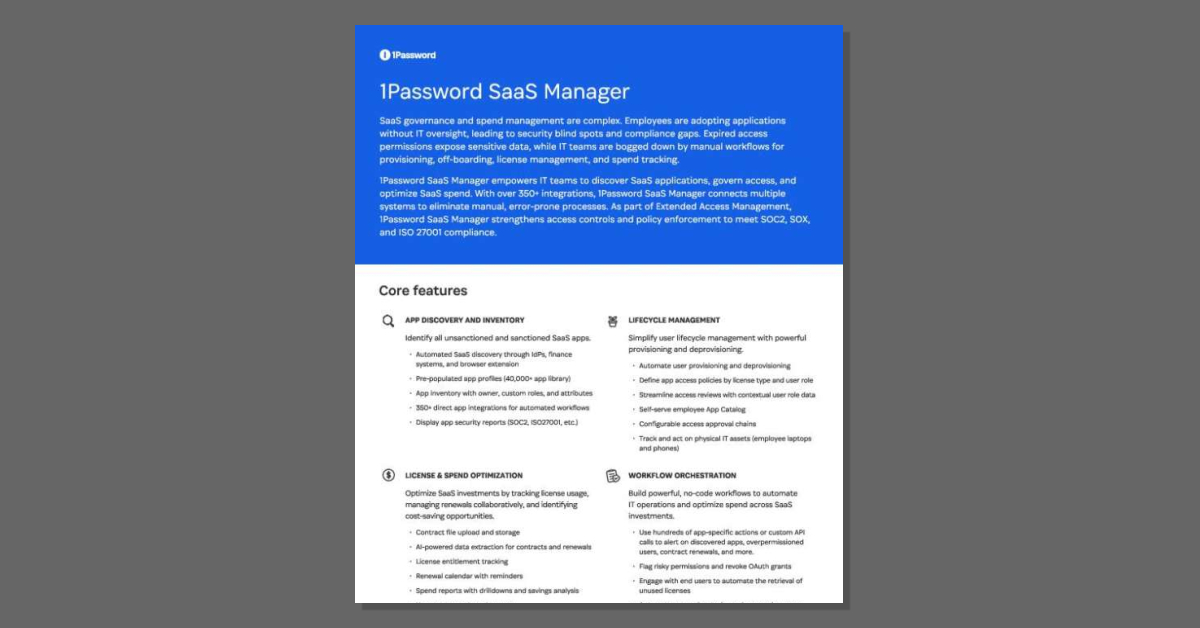
1Password SaaS Manager
How many SaaS apps run across your organization? The 1Password SaaS Manager product brief shows how to find out. Unmanaged apps and expired access can expose sensitive data and create compliance gaps. SaaS Manager uses 350+ integrations to bring every app, user, and license into one view. From there, no-code workflows tighten access and cut wasted spend. As a 1Password provider, we can help you put it to work. Download the brief for details.
What problems does 1Password SaaS Manager solve for IT teams?
1Password SaaS Manager is built to help IT, security, and finance teams get control over a growing and fragmented SaaS ecosystem. It focuses on three core problem areas:
- Shadow IT and blind spots: Employees often adopt SaaS tools without IT oversight, which creates security blind spots and compliance gaps. 1Password SaaS Manager discovers both sanctioned and unsanctioned apps through integrations with IdPs/SSO, finance systems, device agents, and a browser extension, then maps them to a 40,000+ app library for accurate identification.
- Manual, error-prone access management: Provisioning, offboarding, and license management are typically handled through manual workflows. With 350+ direct app integrations, 1Password SaaS Manager automates onboarding, offboarding, and access updates based on role changes and departures, reducing risk and saving time.
- Uncontrolled SaaS spend: Underused licenses and redundant apps drive up costs. The platform links usage data with contract and license information to highlight underused apps, unused seats, and renewal dates, helping teams eliminate waste and reimagine how they manage SaaS investments.
By consolidating app, user, contract, and license data into a unified inventory, 1Password SaaS Manager gives teams a single place to discover apps, manage access, and optimize SaaS spend.
How does 1Password SaaS Manager help with compliance and security?
1Password SaaS Manager is part of 1Password’s Extended Access Management platform and is designed to strengthen access controls and policy enforcement across your SaaS stack.
Key ways it supports security and compliance include:
- Centralized visibility: All apps—sanctioned and unsanctioned—are discovered and consolidated into a unified inventory. This helps identify shadow IT, risky apps, and where corporate data is used.
- Stronger access governance: You can define app access policies by license type and user role, automate access reviews with contextual user data, and continuously update access as roles change. This supports controls required for SOC 2, SOX, ISO 27001, and NIST.
- Audit-ready records: Detailed audit trails and app security reports (e.g., SOC 2, ISO 27001 reports for integrated apps) make it easier to demonstrate compliance and meet cyber insurance requirements.
- Risk reduction: No-code workflows can flag risky permissions, revoke OAuth grants, and trigger alerts when new or high-risk apps are discovered. You can also track physical IT assets like laptops and phones alongside SaaS access.
- Extended Access Management and AI: The broader platform secures every sign-in to every app, including unmanaged ones that traditional IAM, SSO, and MDM tools miss. It also extends governance and policy enforcement to AI agents, granting them controlled access to credentials and logging access events.
Together, these capabilities help organizations rethink how they manage SaaS risk, reduce exposure from unmanaged apps and accounts, and align with internal and external compliance requirements.
How can 1Password SaaS Manager improve SaaS spend and license management?
1Password SaaS Manager is designed to help teams reshape how they manage SaaS costs by connecting usage, contracts, and licenses in one place.
Key spend and license optimization features include:
- License usage tracking: The platform links real-time usage data with license and contract information so you can see which apps and seats are underused or unused.
- Contract and renewal management: You can upload and store contract files, use AI-powered data extraction to pull out key terms and renewal dates, and manage a renewal calendar with reminders to avoid surprises.
- Spend reports and savings analysis: Spend reports with drilldowns highlight redundant apps and wasted spend, and provide savings analysis to support budget decisions.
- Automated workflows for optimization: No-code workflows can engage end users to confirm whether they still need certain apps, reclaim unused licenses, and adjust entitlements by role or license type.
- Collaboration across teams: IT, finance, and business owners can work from a shared app inventory with owner details, custom roles, and attributes, making it easier to align on renewals and rationalization decisions.
By combining discovery, lifecycle management, and workflow orchestration, 1Password SaaS Manager helps organizations reimagine SaaS spend management—from reactive renewals to proactive, data-driven decisions.
1Password SaaS Manager
published by BlueTeamAssess LLC
I founded BlueTeamAssess LLC to develop and offer actionable and cost effective security solutions to SMBs.
BlueTeamAssess LLC is a veteran-owned Cybersecurity Consulting business based in Onslow County, NC.
My company wants to be the trusted advisor to small businesses for cybersecurity and related information technology needs. We will help you meet compliance requirements for HIPAA, PCI, NC cybersecurity requirements for financial advisors, and NIST 800-171 and CMMC cybersecurity requirements for providing goods and services through DOD contracts.
We help small businesses understand cybersecurity threats and their vulnerability to those threats. We offer affordable products and services to protect their business and their livelihood from those threats.
We use the SAINT Security Suite and its family of assessment products to provide cybersecurity services that assess your exposure to the many threats that can impact your business. And we help you meet compliance requirements for NIST 800-171 cybersecurity requirements for providing goods and services through DOD contracts as well as for HIPAA, PCI, the NC data breach protection law and NC cybersecurity requirements for financial advisors.
We use the CyberSecurity Assessment Tool from QS Solutions to assess the security posture of your Microsoft 365 deployment and help bring your risk score to acceptable levels through our remediation services.
We will help you reduce SPAM, secure your email and defend against ransomware. To help do this, we offer a number of solutions scalable for small business budgets and environments. These include:
- Microsoft 365 email and office software and its extensive security features and advanced threat protection.
- Fortinet security solutions that provide a Security Fabric that knits together protection for your endpoints and servers, your firewalls, your wireless network, security analytics and many other services that protect your organization technology from today’s advanced threats whether the workers are working in the office or remotely from home.
- A backup and recovery solution from Acronis to protect your critical customer and business data when the next storm or other disaster impacts your business.
You can trust BlueTeamAssess LLC be the trusted advisor to small businesses for cybersecurity and related information technology needs.



 Sign in with LinkedIn